What Makes a Great Demo
In my last demo post I said that what makes a great demo would get its own post. Here it is.
I’ve now run the same method on multiple customer demos. These tend to land well, and the customers have been impressed with the demo and with what ServiceNow can do. It also taught me which of my documents actually earn their keep. A lot of them didn’t.
This is based on a process I’ve been using for years, it’s the culmination of 20 years of experience and some (what I think) good training I’ve been fortunate enough to get. However, the process used to be a lot of manual configuration, duplication, and setting things up in the PDI or Demo instances. Now everything is automated, and even as I’m writing this post, I’m scoping out yet another demo for another customer and it’s an incredibly fast process now for me.
The short version: a great demo is a tailored build plus four documents. Everything else is scaffolding.
The one idea: the product, filtered by the customer
Two things kill demos.
- Show everything. You walk the whole product. The room wanted a Honda and you showed them a Ferrari. They feel overwhelmed and remember nothing.
- Guess what they want. You pick a few features on instinct, guess wrong, and skip the one thing they came to see.
The fix for both is the same. Think of the product as a library of demoable sections, then let the customer pick which ones go on screen. Every section lands in one of three tiers: must-show, show-if-time, or suppress. Suppressing something is a decision, not an omission.
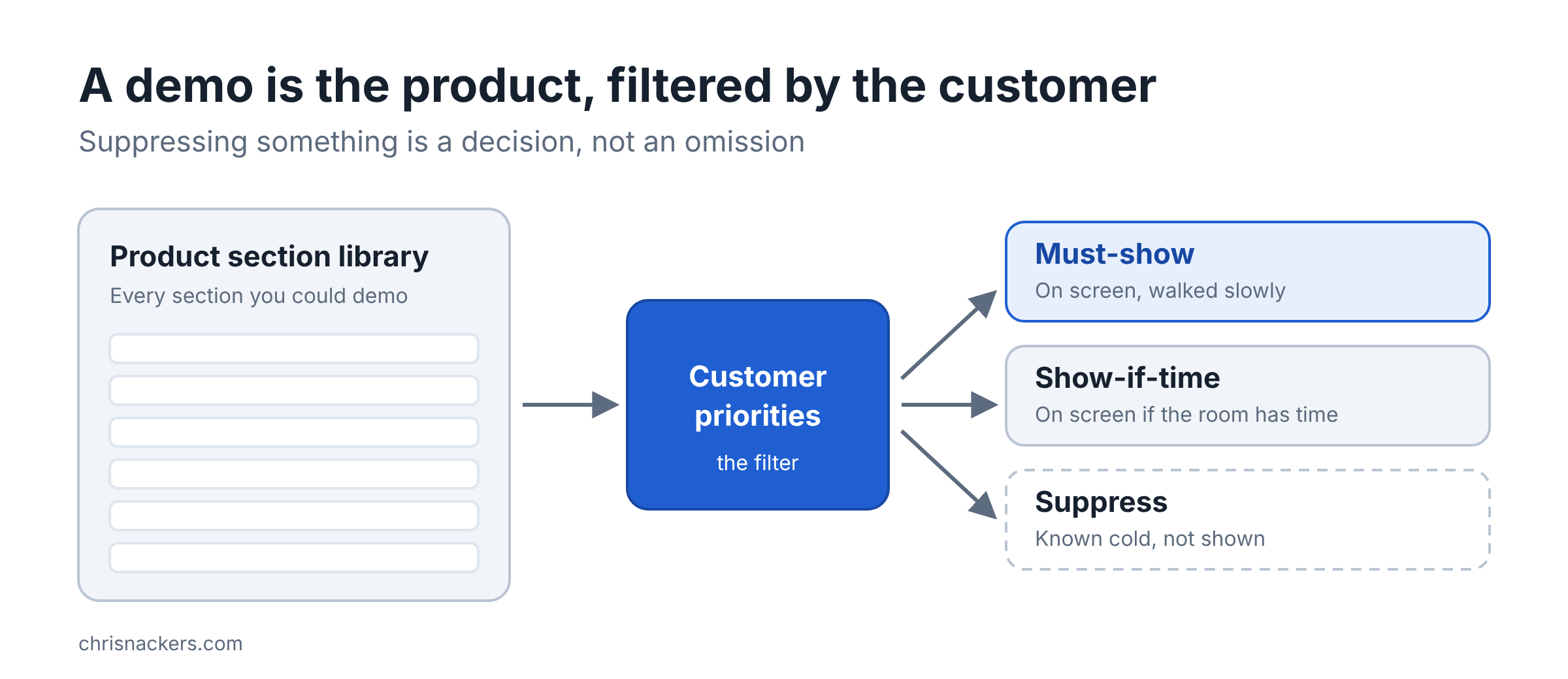
That filter is what makes the build tailored. The four documents below are how you deliver it.
How you filter can be based on either a discovery call with the customer to find out what they are interested in seeing, or simply using what you know about the customer to drive towards what likely provides the best value. Example: I don’t often spend a lot of time going through every single little ITSM feature, most people know that stuff, and other systems they are coming from function very similarly, so I focus on the areas that improve the experience for them or save time. Or things that can help change the behavior in the organization for the better.
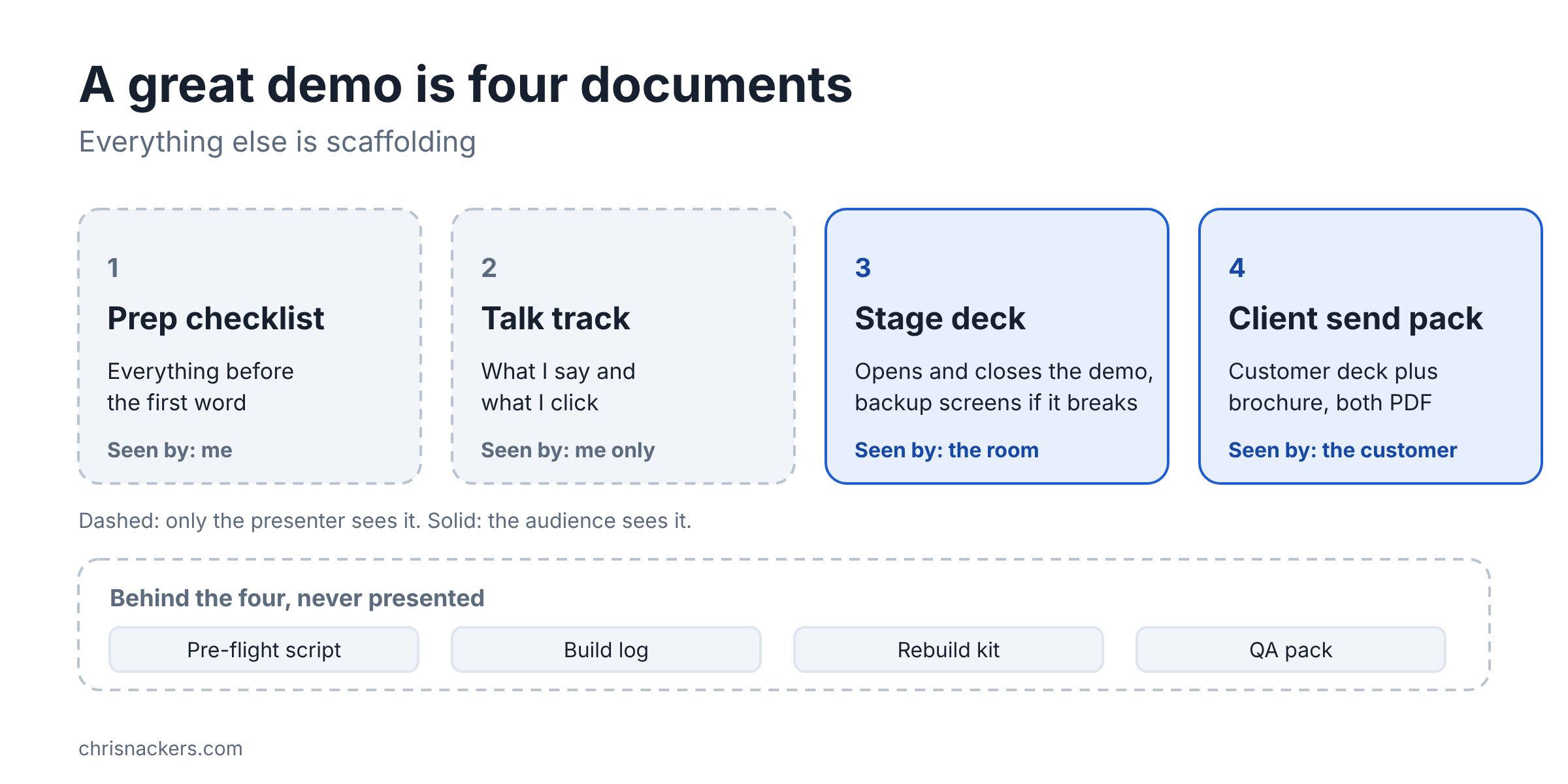
The four-artifact kit
| Artifact | Its job | Who sees it |
|---|---|---|
| Prep checklist | Everything before the first word, one page, in the order I do it | Me |
| Talk track | What I say and what I click, segment by segment | Me only, never shared |
| Stage deck | Opens and closes the demo, and holds backup screens if the instance misbehaves | The room |
| Client send pack | A customer copy of the deck plus a brochure, both PDF | The customer, afterward |
Behind those four sit the pieces nobody presents: a pre-flight script, a build log, a rebuild kit, and a QA pack. They don’t go on screen. They keep the four honest.
What I stopped making
My initial processes had more paper than that. A long run of show, a presenter card, even a click-by-click walkthrough. I ported them over from previous generations and then realized, wait a second, this is way too much information, we need to trim this down.
I looked at them after a rehearsal and told Claude plainly: the run of show is very long and wordy, and the presenter card is not clear at all. The run of show ended up archived as “stale and unused.” I also realized as I was building out 2 different demos with the same process and reviewing the artifacts that I could fix a few things.
Two things came out of that.
- Point by name. Documents refer to each other by title, never by version number or slide number. The instance kept changing under documents that pointed at each other by number, and every fix rippled through all of them.
- One document per job. The run of show became the talk track. The presenter card became the prep checklist. The walkthrough just went away.
A peek at the talk track
I’m not going to hand over the whole document, but here is the shape. Mine renders to a Word document, and this is the same layout in this site’s colors. The segment is made up, it is NOT from the customer’s demo.
What to notice:
- Every segment says where it happens: in the deck, LIVE, in the lab, or NARRATED.
- Spoken lines are callouts, clicks are bullets. At a glance I know what to say and what to do.
- Copy boxes for every literal. Anything I type or paste lives in its own box at the step where I use it. That one was my ask to Claude: “add boxes for any copy/paste items so it’s easy to grab them during the demo.”
- “(new line)” marks anything not from a source. Claude writes a bridge line to make a transition flow, and the mark tells me it is Claude’s wording, not something the discovery notes support.
- Fixed sections at the bottom: If It Breaks, If Asked, Never Say, Sources, Changelog.
On demo morning I had Claude build the talk track as its own standalone document, so none of the existing documents were touched. Three versions, about 35 minutes.
Make the morning boring
The best demo prep is the kind where nothing is left to remember.
- One command in the morning. It refreshes the demo data, runs the imports, runs read-back checks, and finishes with the pre-flight. Start to finish it took about seven minutes on the proof run.
- Stale data is RED, not amber. At the rehearsal the seed data was over four days old and the pre-flight went red. One refresh later it was amber. Now the morning command does the refresh so I never have to remember it.
- Pre-load everything, keep one live step. All the data is loaded before the call. Only the hero request gets submitted live.
- One Chrome profile per demo user. Each profile is named exactly like the demo user account and preloaded to the pages that user needs. I log in once as that user inside the profile and save the password in Chrome. The password is typed by hand to match what I set on the instance. Demo users on a throwaway instance only.
NOTE FROM THE FIELD:
I know a lot of people use impersonation. That's fine, you can do that. I do not use it because it's slow and clunky. By using dedicated Chrome profiles, I can have all the right tabs open for each user and it's VERY easy to switch between users mid-demo without annoying delays. That does require you to set up a password for each user, but that "pre-work" leads to a MUCH better demo in my experience.
Say what is live and what is not
The talk track has a segment type called NARRATED, and I use it.
One AI step passed its rehearsal test: it filled five form fields from one sentence in about a second, so it went in live. Another AI path reached the right topic only one time in three, so it stayed narrated. The stage deck says so right on the slide: “Narrated, not running.”
That is the honesty frame from the first demo post in action. Don’t show a step live unless it passed. The night before, I told Claude, “worst case the AI portion doesn’t demo.”
The same rule runs through the send pack. The brochure, the stage deck, and the customer deck all draw their claims from one list, and the customer deck never claims more than the brochure. When Claude QA’d the customer copy, it held the deck on three claims the brochure had already softened that morning. A slide that promises more than the brochure is a promise someone will have to fund.
What I’d tell another SC
- Filter the product by the customer. Must-show, show-if-time, suppress.
- Keep four documents. Prep checklist, talk track, stage deck, send pack. Anything else feeds those.
- Point by name, not by number.
- Make the morning one command, and treat stale data as a red flag.
- Mark what’s narrated, in the talk track and on the slide.
One honest note. The kit grew in the project record first, and I wrote the four-artifact standard down afterward. Since then I’ve built it into the skill I keep this method in, and the next demo will be the first run on it. IMO that’s the normal order: the field runs ahead, then you write down what survived.
The more you work with Claude and TEACH it what you learned, the better your next kit gets. Mine just got a lot shorter.
Hope this helps!