ConfigMgr R3: Power Management Reports
I wanted to take some time to show you some of the power management reports that are provided with R3. There are quite a number of reports, however there are a few key ones that I think most people will want to use.
For all of these reports I will be showing data against my hyper-v environment. So you probably will see different data in your own test environment if you have physical machines, and for that matter, just more data in general.
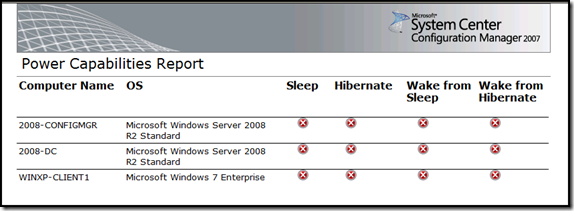
I think one of the first ones that people will look at is the “Power Capabilities Report”, this report will show you the capabilities of the targeted systems.
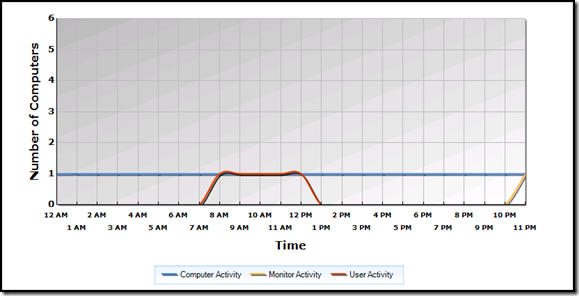
“Power Computer Activity” is a neat one because it’ll show you when the computers are on, and when users are actually using the computers. It will also show you the monitor activity, however I don’t have data to show that from my virtual environment.
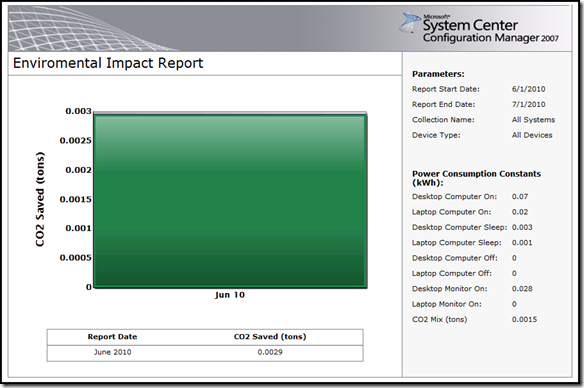
“Environmental Impact Report” displays a graph showing carbon dioxide emissions saved by a given collection over a specified time period.
“Power Consumption” displays the total computer power consumptions (in kW) for a specified collection over a specified time period.
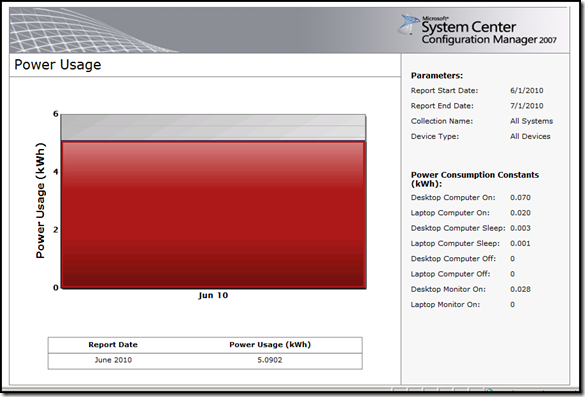
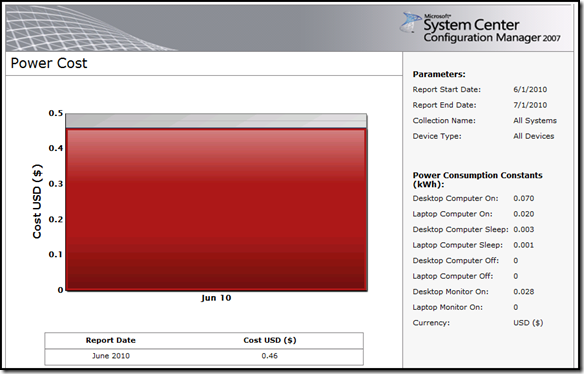
“Power Cost” displays the total computer power consumption cost (in dollars) for a specified collection over a specified time period.
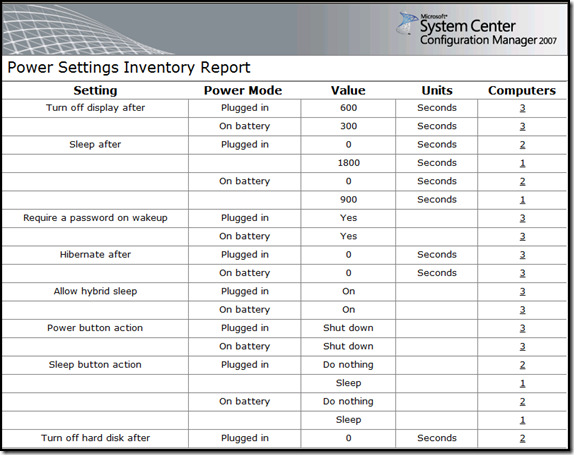
“Power Settings” displays an aggregated list of power settings used by computers in the specified collection. You can drill-down into this report to see a list of computers using specific power settings. (Note this is not the full report, there are many more options not in this screenshot)